 EXIF Viewer
See what an image is hiding.
Right-click any image to read its metadata: the camera and settings, the exact place it was taken, the AI prompt that made it, and any Content Credentials. Everything is read on your computer.
Launching on the Chrome Web Store. Works in Chrome and other Chromium browsers.

Four kinds of hidden information
Camera and exposure
Camera, lens, focal length, aperture, shutter speed, ISO, flash and shooting mode, plus the date with its time zone and the editing software.
Location and privacy
GPS coordinates and altitude with links to Google Maps and OpenStreetMap. A privacy check lists what a photo gives away, such as the location or the camera's serial number.
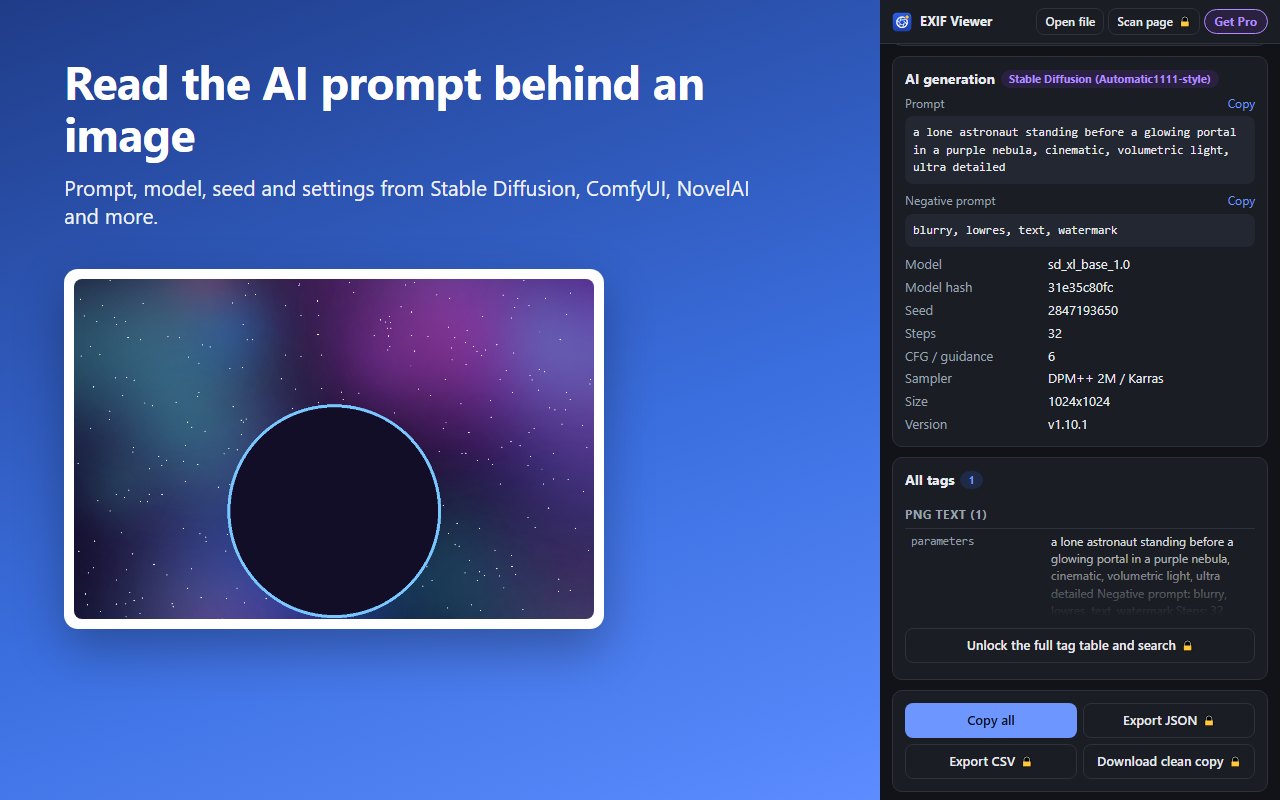
AI image prompts
The prompt, negative prompt, model, seed, steps and sampler saved by Stable Diffusion (Automatic1111 and Forge), ComfyUI, NovelAI, InvokeAI, Fooocus and Midjourney.
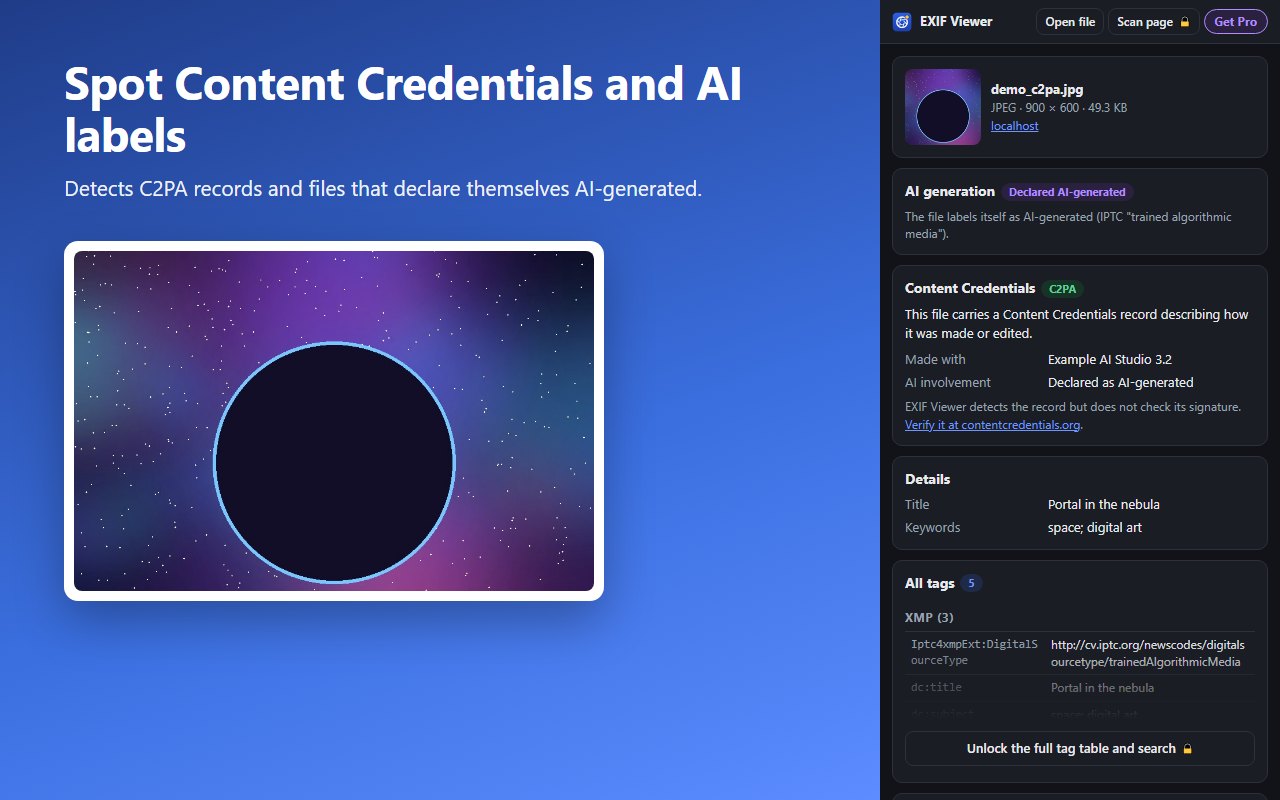
Content Credentials
Spots C2PA Content Credentials and the IPTC label that marks an image as AI-generated, and shows which app made it.
Reads JPEG, PNG, WebP, HEIC, AVIF and TIFF. Most social sites remove metadata on upload, so the original file shows the most.
Free to use. Pro is one payment.
Free
- Right-click any image, or open a file
- Camera, exposure, date and software
- GPS coordinates with map links
- Privacy check
- AI prompts and Content Credentials
- Copy everything as text
Pro
- Everything in Free
- Full tag table with search (every EXIF, IPTC and XMP field)
- Map preview of where a photo was taken
- Export metadata as JSON or CSV
- Scan every image on a page at once
- Download a clean copy with metadata removed
Pay once and get a license key by email. Paste it into the extension to unlock Pro on up to 3 browsers. Payments are handled by Lemon Squeezy, our reseller and merchant of record, which charges any sales tax or VAT. Your receipt will show Quantum Studios.
FAQ
Does it upload my images?
No. Images are read inside your browser. The extension has no server, no analytics and no ads.
Why does an image show no metadata?
Instagram, Facebook, X, WhatsApp and Discord remove metadata when images are uploaded. The original file from a camera or phone usually has much more.
Does it verify Content Credentials?
It detects them and shows what they say, but it does not check their cryptographic signature. Use contentcredentials.org/verify for that.
How do I activate Pro?
After you buy, Lemon Squeezy emails you a license key. Open EXIF Viewer, click Get Pro, paste the key and click Activate.
I lost my license key.
Your receipt email from Lemon Squeezy contains it. If you can't find it, email us with the address you bought with and we will resend it.
Refunds, terms and privacy
Refund policy
If Pro doesn't work for you, email us within 14 days of purchase for a full refund. No questions asked. Refunds go back to your original payment method through Lemon Squeezy, and the license key stops working.
Terms
- A Pro license is for one person and can be active on up to 3 browsers at a time.
- Pro is a one-time purchase that includes future updates to EXIF Viewer.
- Don't share, resell or publish license keys.
- The software is provided as is. We aren't liable for how you use the information it shows.
- Use it to check images you have the right to inspect.
Privacy policy
EXIF Viewer doesn't collect personal data and doesn't upload images. It stores your settings and license status on your device. Data leaves your device only when you act:
- Viewing a web image downloads it from the site that hosts it.
- Activating Pro sends your key to Lemon Squeezy to check it.
- Clicking "Show map" sends the coordinates to OpenStreetMap.
Contact and support
Questions, refunds or a lost key. We reply within 2 business days.